
Digital spreadsheet templates
Spreadsheet templates that do the math for you.
Nine Excel and Google Sheets workbooks that calculate, flag and total on their own, plus one Notion template that does the same. You type what happened; it works out what it means.
=IF(TODAY()>$D2,"Overdue","On track")Already written, in every file. You never see it unless you look.
- Instant download
- Excel, Sheets + Notion
- No macros, no sign-up
- Buy once, keep forever
A template is only worth paying for if it does something you would otherwise do by hand.
The arithmetic is already written
Statuses, countdowns, totals and percentages are formulas, not columns you fill in. Blank rows stay blank instead of filling a thousand lines with zeroes and false “Overdue” flags.
Real screenshots, never mockups
Every picture on every product page is a render of the real thing after it calculated — the actual workbook, or the actual published Notion page. Nothing is drawn, staged or generated.
A guide, not a mystery
Every download carries a Start Here PDF. The spreadsheets add the empty workbook and a worked example filled with made-up data; the Notion template arrives already filled with one — so you see it working before you type anything.
The catalogue
Ten templates
Every one of them is delivered instantly, and none of them costs more than $8.50.
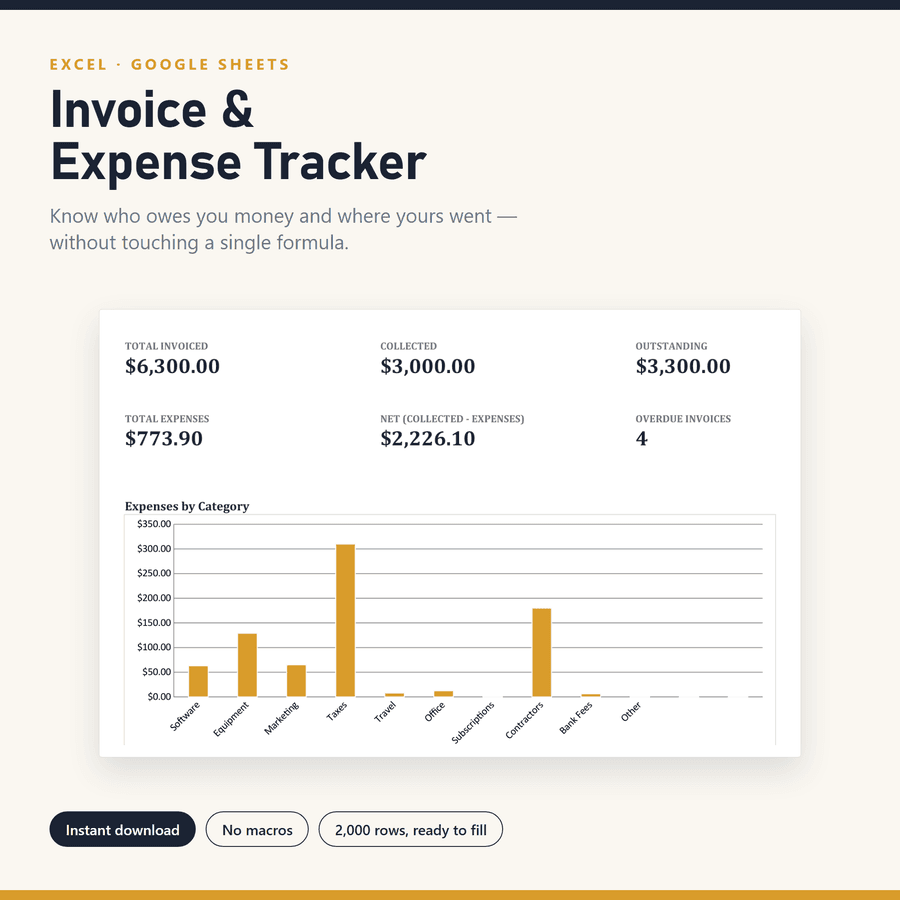
Invoice Tracker & Generator
$6.50Marks an invoice overdue the moment its due date passes, then builds the printable invoice out of the row you already logged.
Create Invoice tabFreelancersInvoicingView product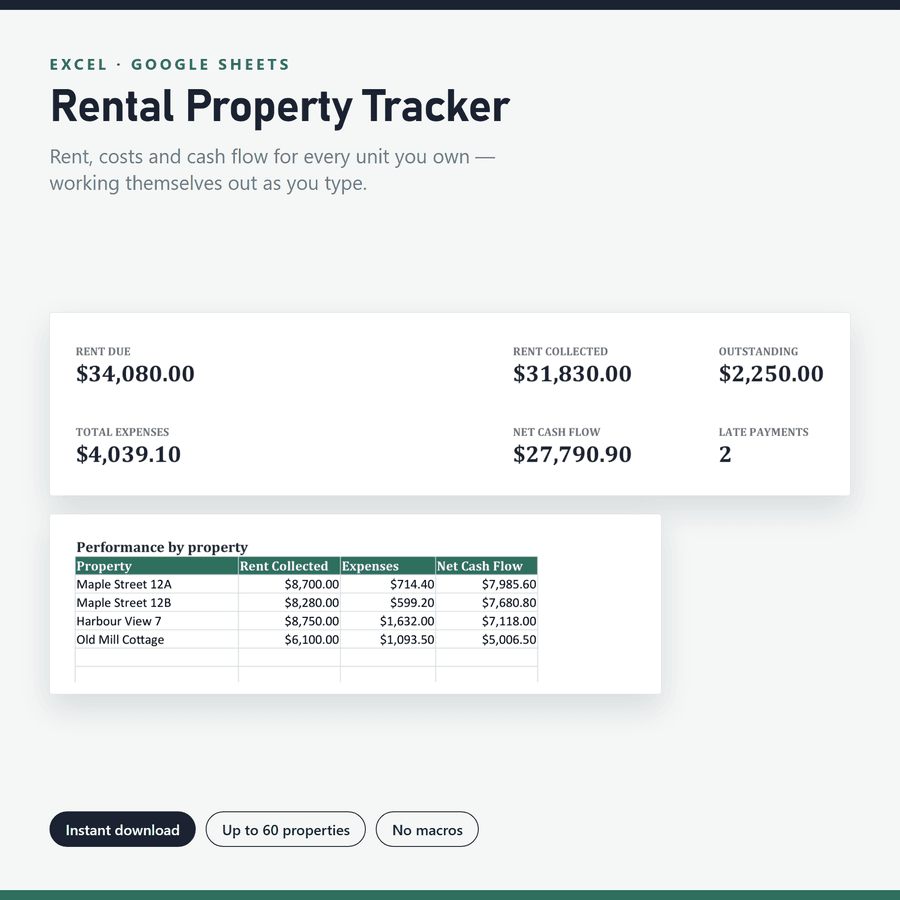
Rental Property Tracker
$7.50Reads each month's rent against what was paid and calls it Paid, Partial, Due or Late without you deciding.
Per-property yieldLandlordsPropertyView product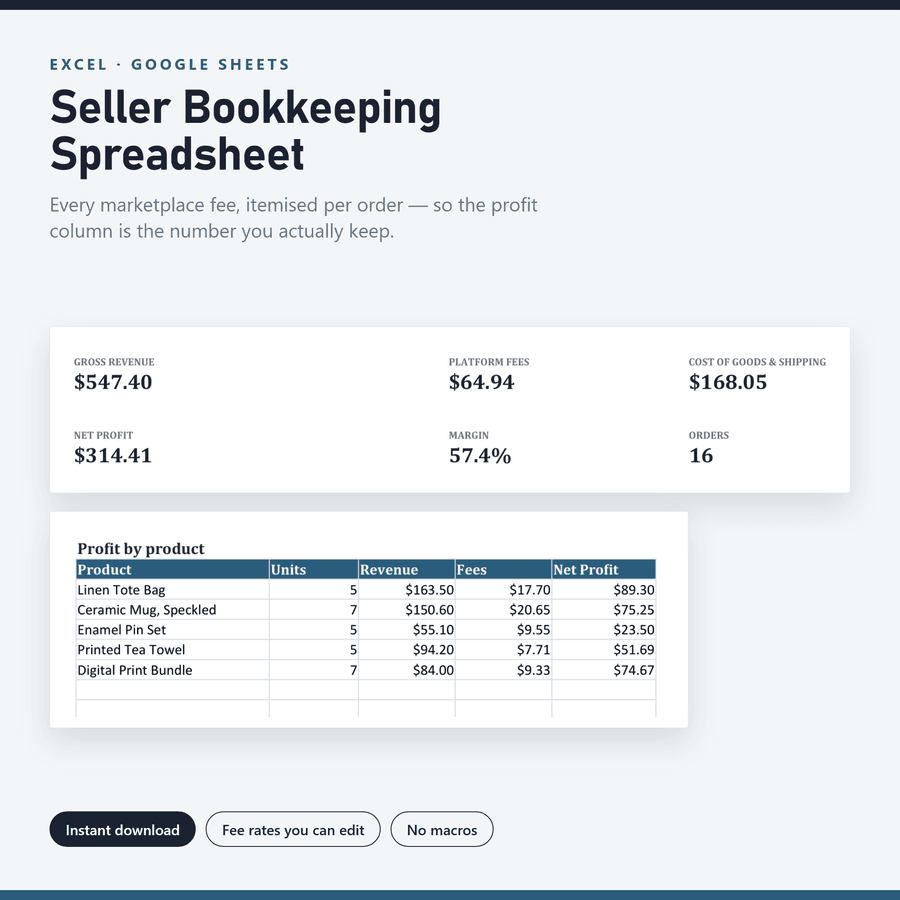
Seller Bookkeeping Spreadsheet
$6.50Takes marketplace fees, shipping and cost of goods off each order, so profit is the number you actually keep.
Fee-by-fee breakdownEtsy sellersE-commerceView product
Social Media Content Calendar
$4.50Counts down to each post's date, flags what is overdue, and ranks your content pillars by engagement rate.
Four-state flagCreatorsMarketingView product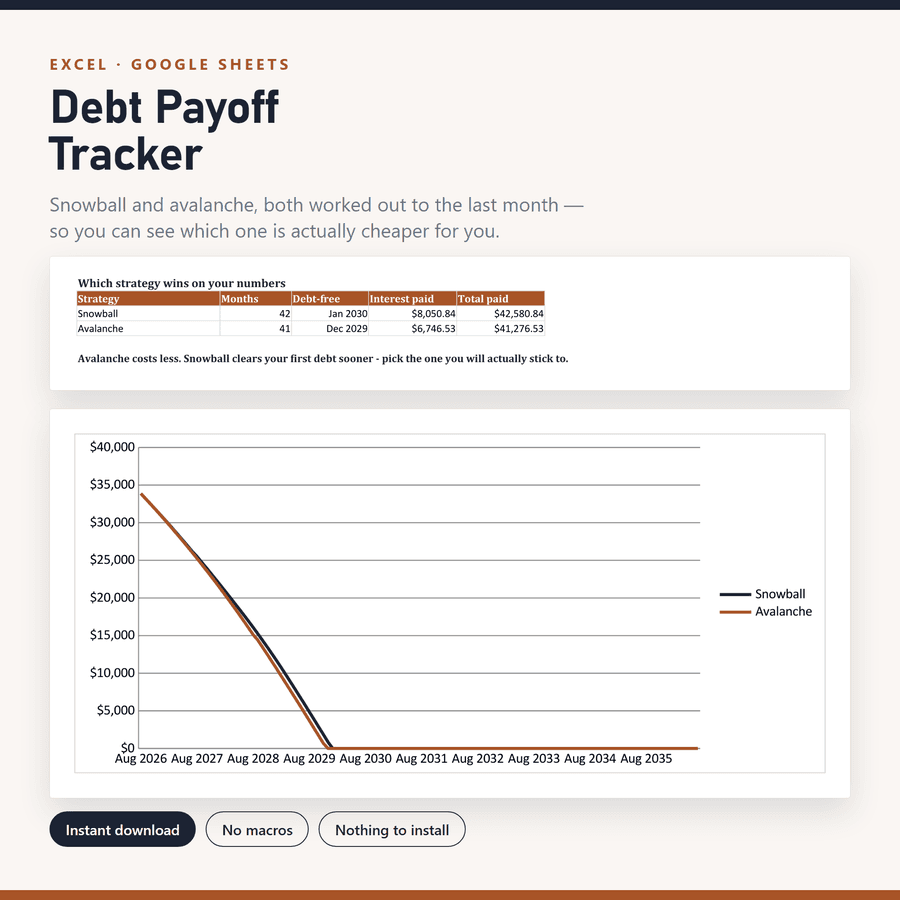
Debt Payoff Tracker
$4.50Projects snowball and avalanche side by side, month by month, to the date each debt finally clears.
120-month projectionPersonal financeBudgetingView product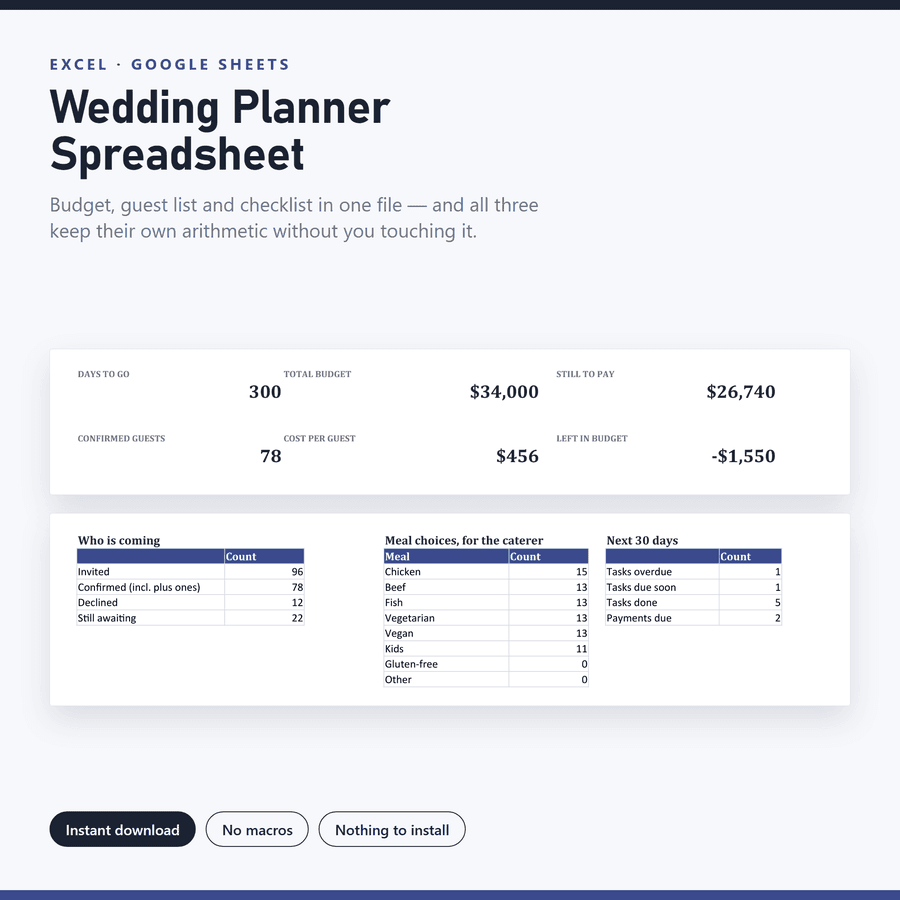
Wedding Planner Spreadsheet
$8.50Dates every checklist task backwards from your wedding day — move the date and all 22 deadlines move with it.
Self-dating checklistWeddingsGuest listView product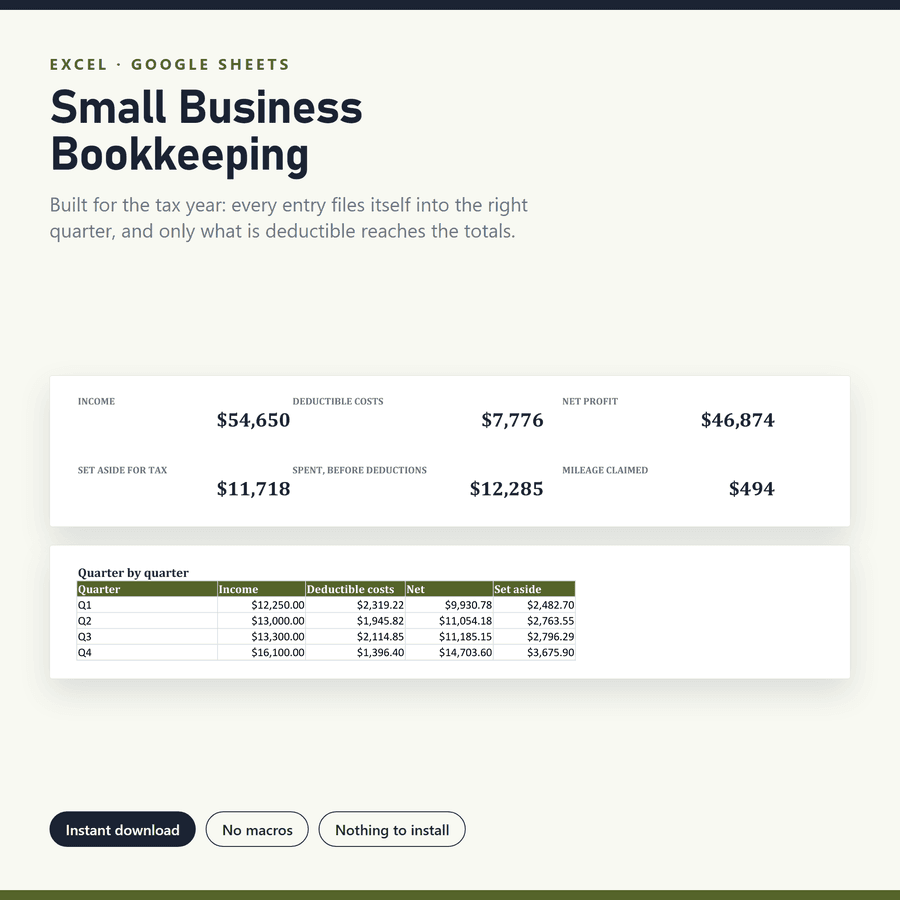
Small Business Bookkeeping
$6.50Files every entry into the right quarter from its date, and applies your own deductible percentage per category.
Quarter from dateSmall businessTax yearView product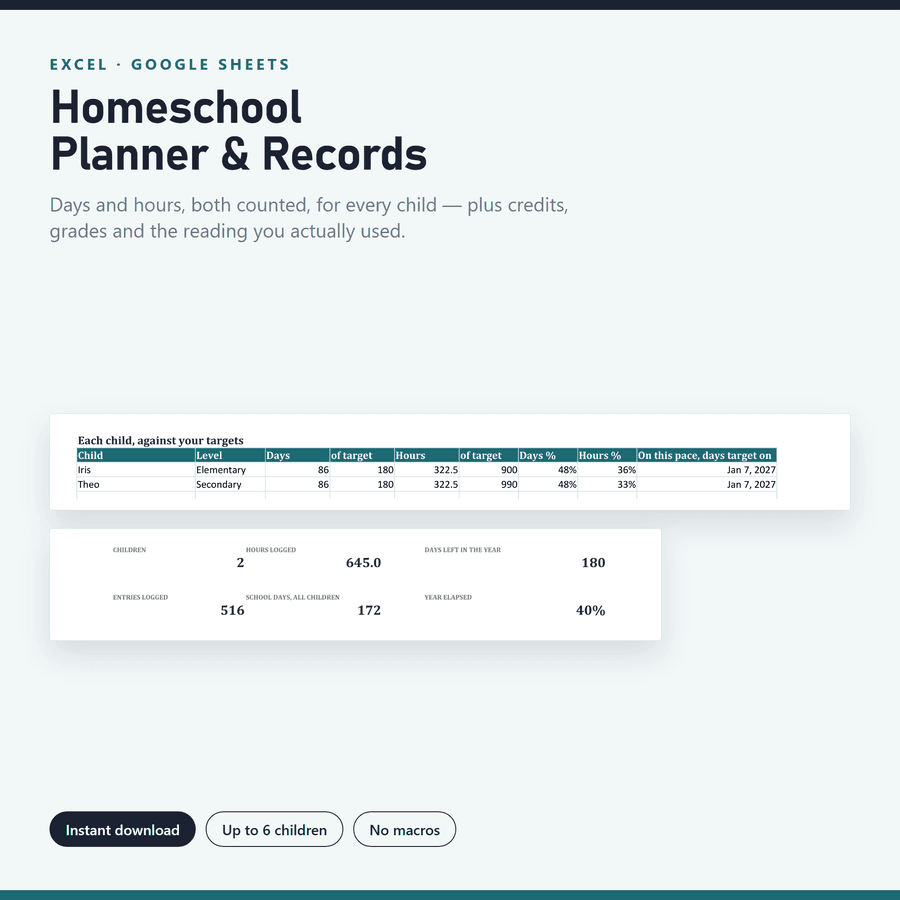
Homeschool Planner & Records
$7.50Counts a day with four subjects as one school day, and tracks days and hours against both of your targets.
Days and hours at onceHomeschoolRecordsView product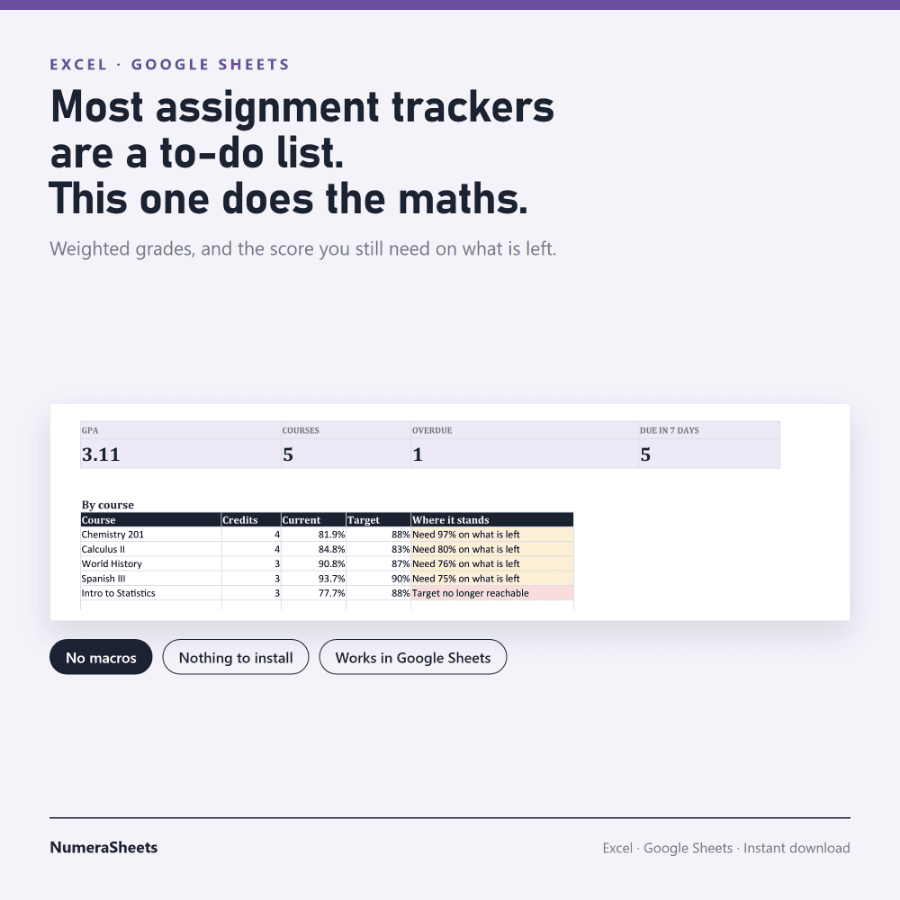
Assignment Tracker
$3.00Divides by the weight that has actually been graded, so a final you have not sat yet never counts as a zero.
What you need on the finalStudentsGradesView product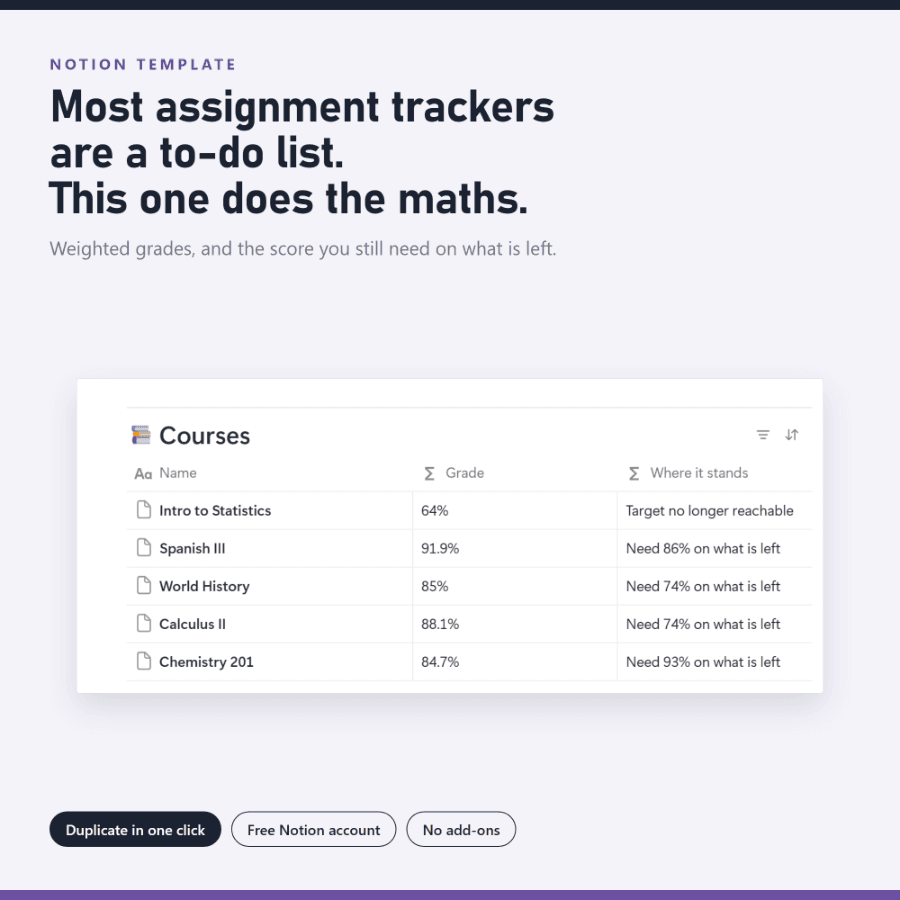
Assignment Tracker for Notion
$7.50The same weighted-grade maths as the spreadsheet, built as three connected Notion databases you duplicate in one click.
Notion, not a fileStudentsNotionView product
How it works
Three steps, and none of them involve waiting for me.
Buy on Etsy
Checkout is handled by Etsy. No account to create with me, and nothing to wait for.
Download instantly
The files are released the moment payment clears. Nothing to wait for, nobody to message.
Open and start
Excel, Excel for Mac, or import into Google Sheets — or, for the Notion template, press Duplicate. Set a couple of cells and it runs.
Questions
Before you buy
If something here is not answered, the Start Here PDF inside every download goes considerably deeper.
Do I need Microsoft Excel?
No. Every spreadsheet here is a plain .xlsx that opens in Excel, and imports into Google Sheets through File → Import → Upload with the formulas, dropdowns and named ranges intact. Excel for Mac works too. Apple Numbers opens the files but is unreliable with named ranges, so use Excel or Sheets. The one exception is Assignment Tracker for Notion, which is not a file at all — it is a Notion template you duplicate, and a free Notion account is enough.
How do I get the files?
The shop releases them the moment the payment clears — there is nothing to wait for and nobody to message. For the spreadsheets you download a zip containing the empty workbook, a worked example, a Start Here PDF and the licence. For the Notion template you download a one-page PDF with your duplication link.
Are there macros, add-ins or a subscription?
None of the three. No macros, no add-ins, no sign-up, nothing that phones home. You pay once and the file is yours to use on as many of your own devices as you like.
Do the screenshots show the real file?
Yes, and that is deliberate. Every product image is a render of the real thing after it calculated — the actual workbook, or the actual published Notion page. Not a mockup, not an AI image. What you see in the pictures is what opens on your machine.
What if I run out of rows?
You are unlikely to. The entry sheets ship with thousands of pre-formatted rows and the dashboard totals reach well past them. If you do get there, copy the last formatted row and paste it down; the formulas adjust themselves. In Notion the question does not arise — you add rows for as long as you need them.
Can I get a refund?
Because the files are delivered instantly and cannot be returned, all sales are final. That is why every product page shows real screenshots of the working file, and why each download ships with a worked example — so you know what you are buying before you buy it.
Every one of them downloads the moment you pay.
Buyer protection, instant delivery, and no account to create with me.
Open the NumeraSheets shop